EN → 简体中文 · on-device · PDF

Read any PDF
in your own language.

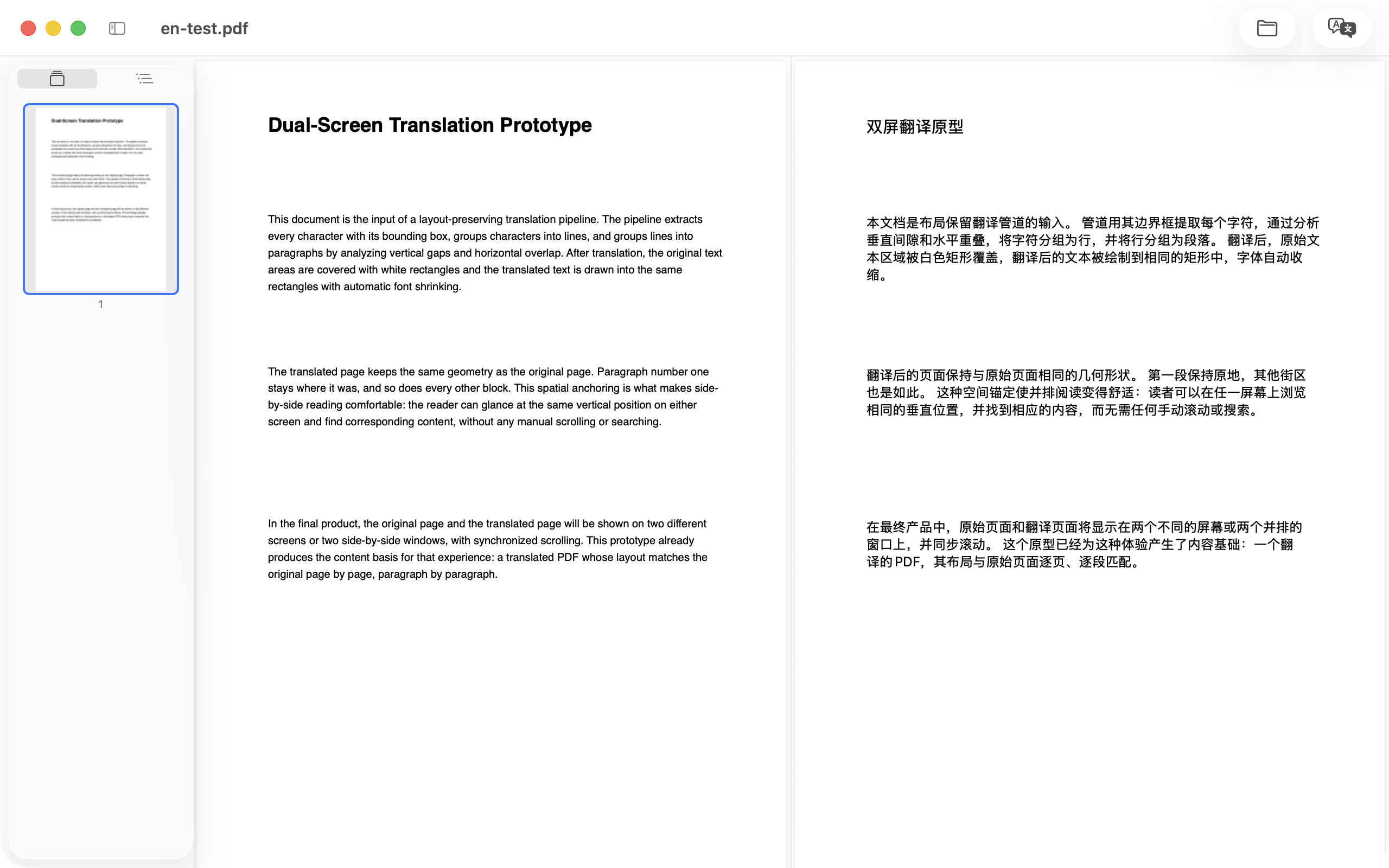
KenjaPDF is a minimal PDF reader with on-device translation for Mac. Drop in a document, tap once, and read the original side by side with its translation — scrolling in sync, layout preserved, nothing uploaded.

Coming soon to the Mac App Store macOS 26+ for translation · no account, no key
KenjaPDF on Mac: a PDF open in two panes, English original on the left and its Chinese translation on the right, scrolling in sync
ON-DEVICE
EN → 简体中文
読書も翻訳も、この Mac の中だけで完結する Your documents never leave your Mac 阅读与翻译,全部在本机完成 — KenjaPDF, the sage's reading desk
01

Two steps, one quiet window

From foreign PDF to bilingual reading without leaving the app — read it, translate it, export it.

STEP 01 · READ

A clean, minimal reader

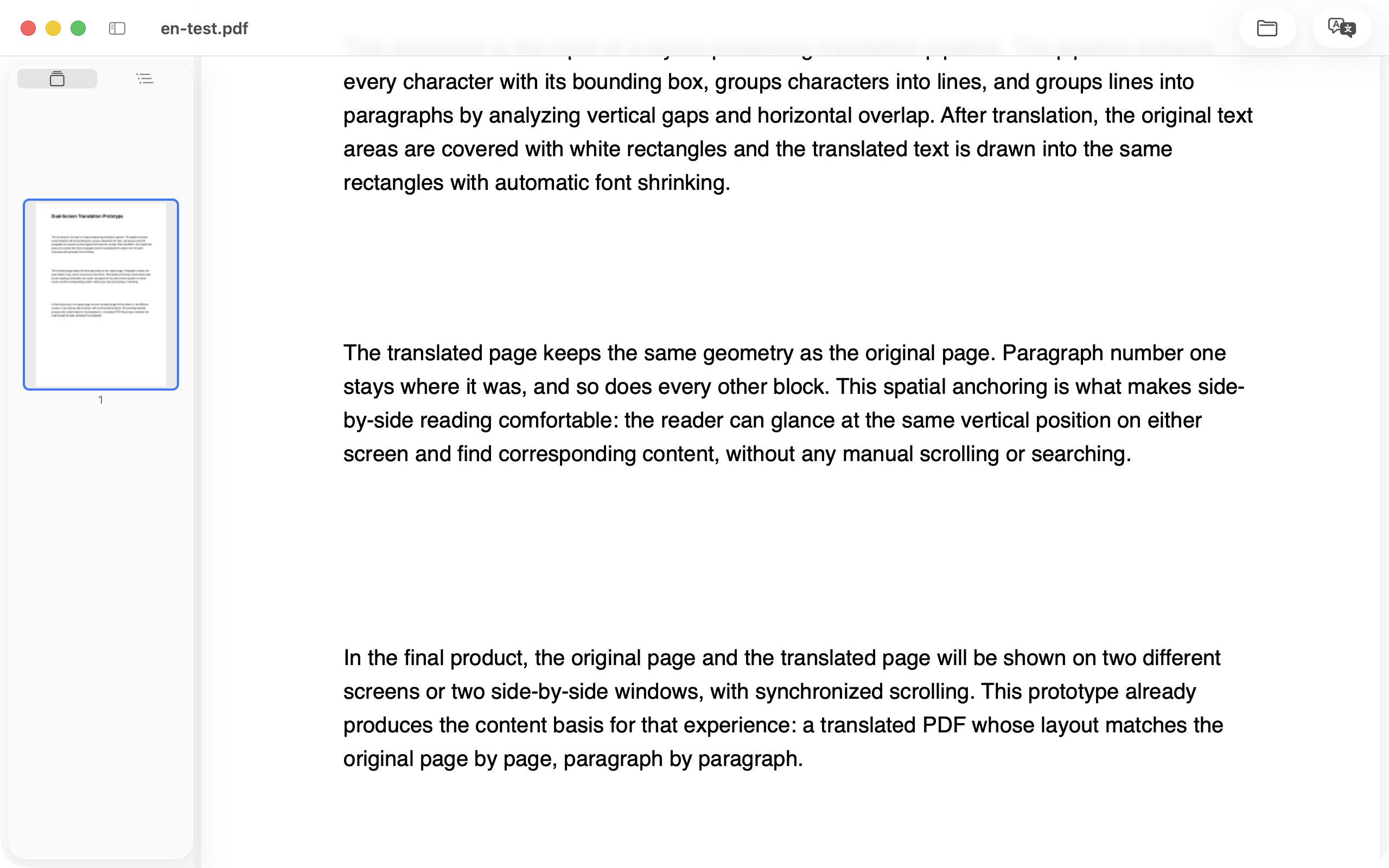
Drag a PDF onto the window, or press ⌘O. Continuous scrolling, thumbnails and outline in a collapsible sidebar, free zoom, page labels, printing — and password-protected files unlock with a prompt.

KenjaPDF reader: an English PDF with a light sidebar of thumbnails and outline, minimal toolbar
STEP 02 · TRANSLATE

Original & translation, side by side

Pick a language pair — the source is auto-detected — and press Translate. Apple's on-device engine translates the whole document, and the result opens beside the original, scrolling in sync. One button cycles side-by-side, translation-only and original-only; export a translated or alternating bilingual PDF when you're done.

KenjaPDF side-by-side view: English original on the left, Chinese translation on the right, both panes in sync
02

Built for reading things that aren't in your language

Not a cloud dashboard — a small, native Mac tool that does two things well.

TRANSLATION

On-device, always

Translation runs on Apple's system engine, right on your Mac. Documents are never uploaded — the first translation of a language pair may download a small pack, managed by macOS itself.

LANGUAGES

20+ languages, auto-detected

The source language is recognized automatically — or picked manually — and the target defaults to your system language. The supported list comes straight from macOS, with display names in your locale.

SYNC

Side by side, in lockstep

Original and translation scroll together in both directions, and zoom mirrors between the panes. One button cycles side-by-side, translation-only and original-only layouts.

LAYOUT

The page stays the page

Each translated paragraph is drawn back into its original rectangle on a copy of the page. Geometry, margins and vector graphics stay intact — the translation reads like the original.

FORMULAS

Formulas stay formulas

Math-heavy lines — LaTeX, MathType, Cambria Math fonts — are detected and left untouched, while the prose around them translates. Built for papers and theses: better one line untranslated than an equation destroyed.

EXPORT

Take it with you

Export a translation-only PDF, or an alternating bilingual edition — original page, translated page — for reading anywhere, annotating in Preview, or sharing.

03

Private by default

No accounts. No upload. No tracking.

KenjaPDF works like a good tool should — it does its job on your machine and talks to no one. Translation runs on Apple's on-device engine, so your documents never leave your Mac. There is nothing to sign in to, and nothing to leak.

Read the privacy policy →

✓Translation: 100% on device
✓Documents: never uploaded
✓Accounts & keys: none — nothing to configure
✓Telemetry: none, ever
04

Questions, answered

Does KenjaPDF upload my documents anywhere?

No. Reading, layout analysis and translation all run on your Mac — translation uses Apple's on-device system engine. There are no accounts, no analytics and no tracking; the App Store privacy label is Data Not Collected.

Which languages can it translate into?

20+ languages, powered by macOS system translation — the supported list comes straight from your system. The source language is auto-detected (or picked manually) and the target defaults to your preferred system language. The first translation of a language pair may download a small language pack, managed by macOS.

Do I need an account or an API key?

No. Translation uses the engine built into macOS — no sign-in, no API keys, no subscriptions. If a language pack is missing, KenjaPDF walks you through the one-time system download and retries.

Is the original layout preserved?

Yes. Each translated paragraph is drawn back into its original rectangle on a copy of the page, so geometry, margins and vector graphics stay intact. Math-heavy lines are detected and left untouched — formulas survive translation, which matters for papers and theses.

Does it work with scanned PDFs?

KenjaPDF translates the text layer of a PDF. Image-only scans without embedded text are not translatable in this version — run OCR first if you have a scanned document.

What are the system requirements?

On-device translation requires macOS 26 or later, because it uses Apple's Translation framework. Reading, outline and export run on macOS 13 and later.